Staff Accountability (audit log)
Staff Accountability is Zitlin's audit log: the record of who did what, on which device. It answers the questions a screenshot cannot answer later: a chargeback, a dispute over a discount, "who voided this and why".
Earlier versions of the app called this screen Audit log. Nothing about it changed except the name.
Where it is
Staff Accountability, in the main menu — Admin and Accountant.
Also reachable from a record directly: History, under More on a folio, shows only that folio's rows.
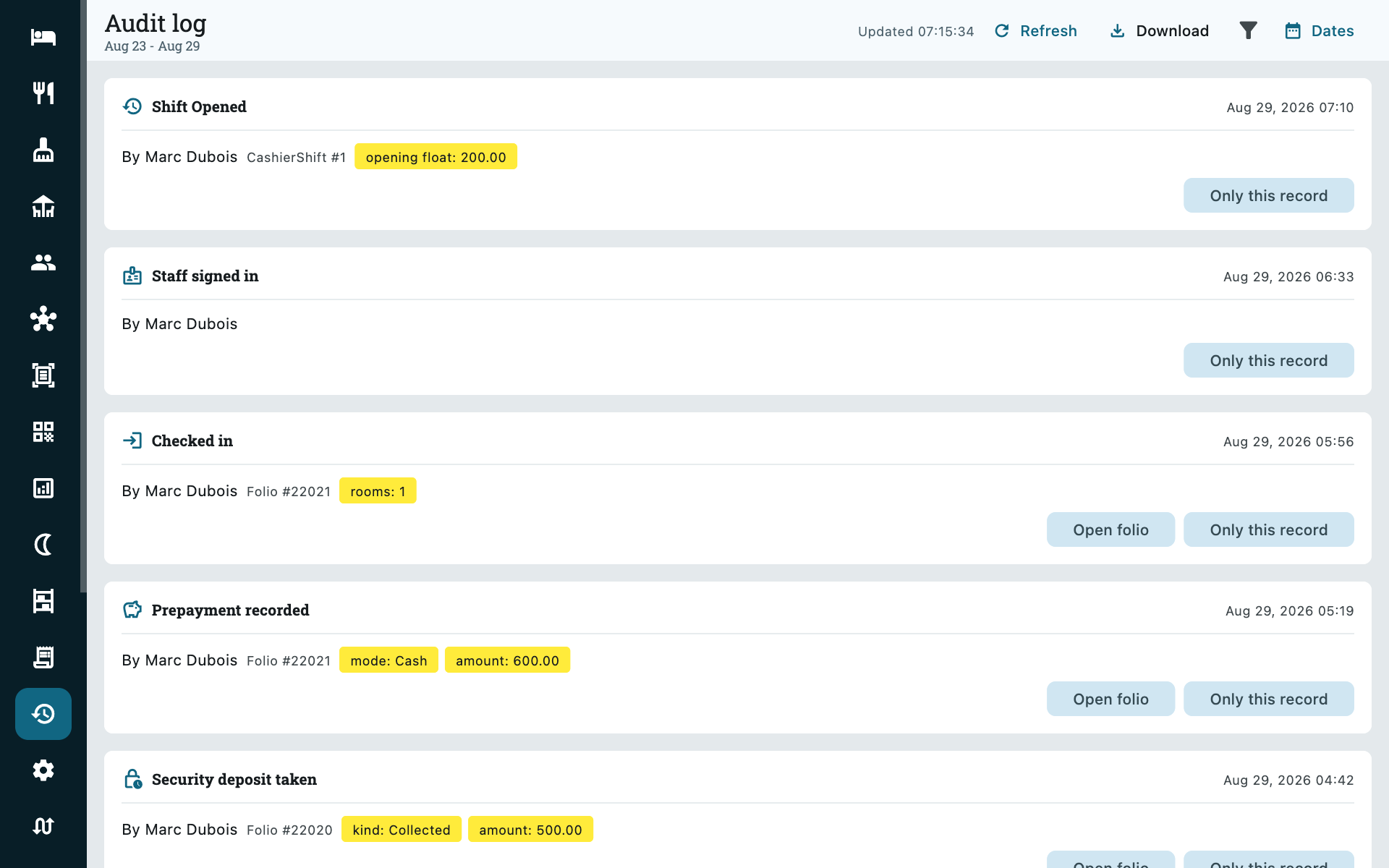
Every row names the action, the record it touched, who did it, and when. "Who" is the staff member if somebody was signed in, and the device account otherwise.
What gets recorded
Deliberately not everything. The log covers the money surface — the actions a manager has to be able to answer for — rather than every save.
| Bookings & folios | Invoices | Staff & drawers |
|---|---|---|
| Folio created | Invoice raised | Signed in |
| Booking added | Invoice edited | Signed out |
| Booking cancelled | Invoice voided | PIN locked out |
| Checked in / out | Invoice settled | Shift opened |
| Check-in/out reverted | Invoice un-settled | Shift closed |
| Rate overridden | Discount applied | |
| Prepayment recorded | Complimentary applied | |
| Security deposit taken | ||
| Security deposit closed |
A few of these are worth knowing about specifically:
Invoice un-settled appears when somebody edits a bill that was already paid and the total changes. Editing a settled bill without moving the money — fixing a spelling mistake — leaves the settlement alone and writes nothing here.
Shift closed carries the amount counted and the difference, so a drawer that came up short is findable from this screen as well as from Shift history.
Prepayment recorded covers corrections too, flagged as an edit rather than written as a second receipt. Security deposit taken and Security deposit closed are separate rows; the closing one records how much came back and how much was kept.
What it does not record
Not a change history. A row says an invoice was edited and by whom; it does not store the invoice before and after. Keep the log for accountability, not as a way to undo things.
Filtering and exporting
Filter narrows by action, staff member or date — up to 92 days at a time, and 7 days by default.
Deactivated staff still appear in the picker, so a row naming someone who has since left can still be found.
Download exports exactly what is filtered as a CSV, timestamped in your property's own timezone — one row per action, with the record it touched and the IP address it came from. Capped at 5,000 rows; narrow the range if you hit it.
Common questions
Why does an action show the device account instead of a person?
Either nobody was signed in when it happened, or Require staff sign-in was off at the time. The log records the terminal in both cases, so the row is still attributable to a property and a device — just not to a name.
Can staff see their own log?
No. Staff Accountability is Admin and Accountant only. Someone who can edit the record of what they did is not much of a record.
How long is it kept?
Indefinitely. The 92-day limit is on how wide a single search can be, not on how far back the data goes — move the date range to reach older rows.
Somebody was deactivated. Do their rows disappear?
No. Deactivating keeps the person on file precisely so past rows keep resolving to a name. This is why the roster deactivates rather than deletes.
We started using Staff Accountability today. Where is last month?
Not there. The log records forward from the day it is set up — there is no historical data to backfill from, because the rows were never written.