Inventory
Inventory in the main menu tracks the things you hold and move — linen, toiletries, minibar stock, cleaning supplies, kitchen groceries. It answers two questions: how much of this do we have, and where is it?
It is stock control, not purchasing: Zitlin records what moved, not what it cost. The money side of a purchase is an expense.
Inventory is still being built
The module carries a banner saying so, and it means it: expect it to change more than the rest of Zitlin, and tell support what is missing.
The three tabs
- Stock — what you hold right now, per item and per location. Group by switches between reading it by item and reading it by location.
- Items — the catalogue: what you count, and in what unit.
- Audit — every movement, newest last, with who made it.
Stock items
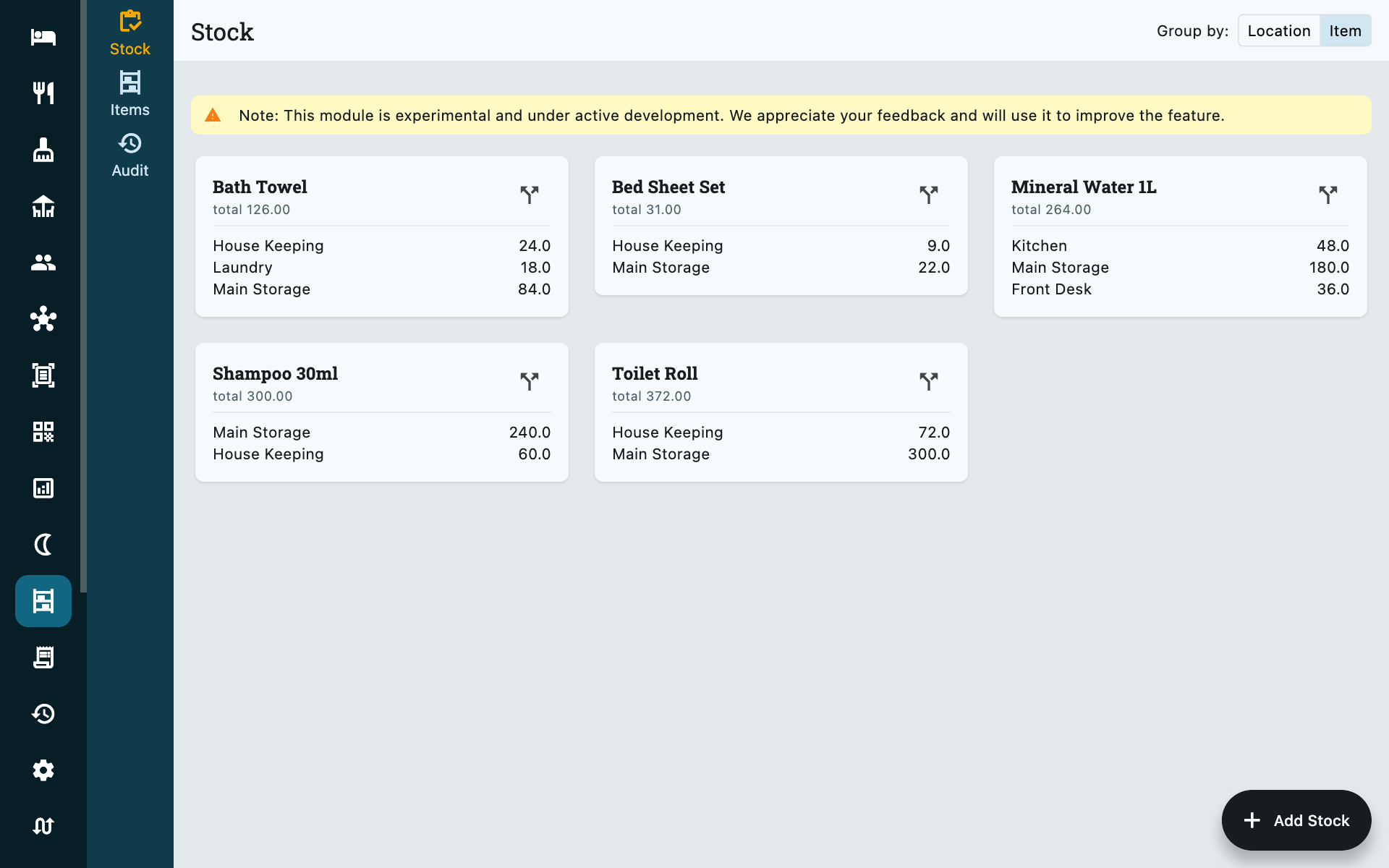
An item is a thing you count, defined once:
| Field | Notes |
|---|---|
| Name | Bath towel, Shampoo 30ml, Coffee sachets. |
| Unit | How you count it — pieces, boxes, bottles, cartons, dozens, kilograms and so on. |
| Par level | The minimum you want to hold. Below it, the item is flagged. |
Set the par level to the number that makes you order
It is not a target or a maximum — it is the point at which somebody should do something. Fifty towels when a busy weekend eats sixty is the useful figure, not the number of towels you own.
Locations
Stock is held at a location rather than in one undifferentiated pile:
Main storage, Rooms, Laundry, Repair shop, Front desk, Kitchen, Housekeeping, Back office, Maintenance.
Each item can sit in several at once — sixty towels in main storage, twelve at housekeeping, eight in the laundry — and the total is the sum. This is what makes the difference between we have none and we have plenty, in the wrong place.
Recording a movement
Add Stock, bottom right of any of the three tabs. Every movement has a type, and the type decides which locations it asks for:
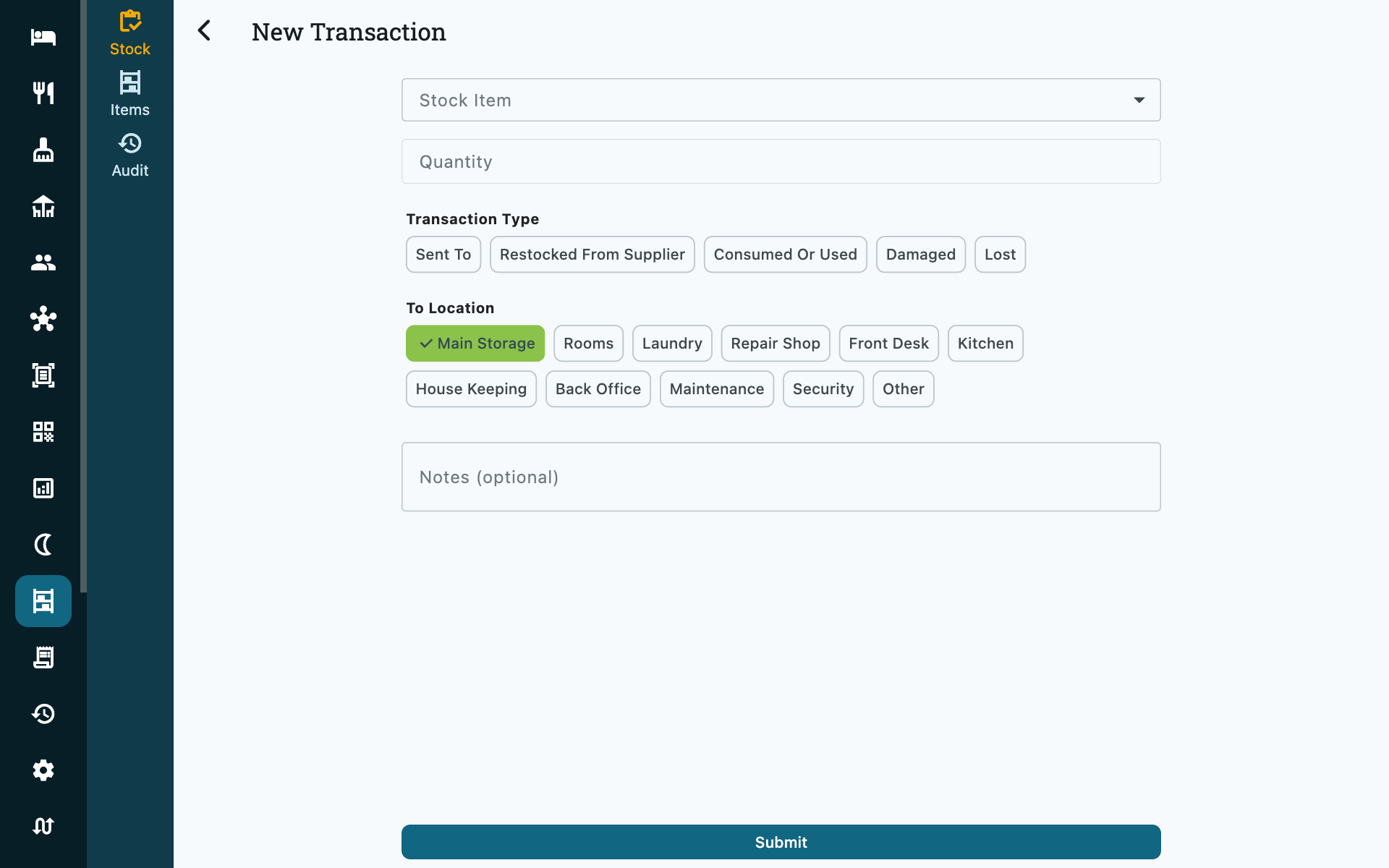
| Type | Effect | Needs |
|---|---|---|
| Restocked from supplier | Increases stock | A destination |
| Sent to | Moves stock between locations | A source and a different destination |
| Consumed or used | Decreases stock | A source |
| Damaged | Decreases stock | A source |
| Lost | Decreases stock | A source |
Consumed, damaged and lost are separated deliberately. They do the same thing to the count and mean entirely different things at the end of the month: the first is the business working, the other two are money going out of the door.
You cannot move what you do not have
A movement out of a location is refused if that location does not hold enough. Receive it first, or correct the location — an inventory that can go negative is an inventory nobody trusts.
Each transaction records who moved it. On a property using staff sign-in that is the person who punched in, not the terminal.
Issuing stock to a room
Stock issued to an occupied room is recorded from the booking, not from this screen. Open the booking and use its Inventory tab — see Charging extras to a stay.
That is why every movement in or out of Rooms carries a booking: it is the only way to say which room, and it leaves the trail on the stay as well as on the item.
Issuing stock does not charge the guest
This is stock control, not billing. Sending two bottles of water to 204 takes them out of your count and records that they went there; it puts nothing on the folio.
To charge for them, add the item on the booking's Add Ons tab, which is where prices live — see Add-ons. The minibar bottle that is billed is therefore two entries, deliberately: one about your stock, one about the guest's money.
Who can use it
| Action | Lowest role |
|---|---|
| See stock levels and transactions | Rooms Manager |
| Record a transaction | Rooms Manager |
| Create or edit a stock item | Accountant |
Common questions
Can I correct a mistaken transaction?
Not by editing it — the ledger is append-only, which is what makes it worth reading. Record the opposite movement with a note saying why. Both lines stay, and the count comes out right.
I issued a minibar item and the guest was not charged
Correct — that is what it does. The Inventory tab moves stock; the Add Ons tab charges money. Bill the item there as well, from your add-on catalogue.
Does Zitlin track what stock cost me?
No. Value stays out of this module on purpose. Record the purchase as an expense under Housekeeping supplies or Kitchen groceries and the money shows up in your Revenue report and cash drawer, where it belongs.