Reports
Reports in the main menu has four tabs. The first three answer a question over a date range you pick; the fourth is the dated snapshot of the whole property.
None of them is a query builder — each is a fixed question a property asks every day, already answered.
Revenue
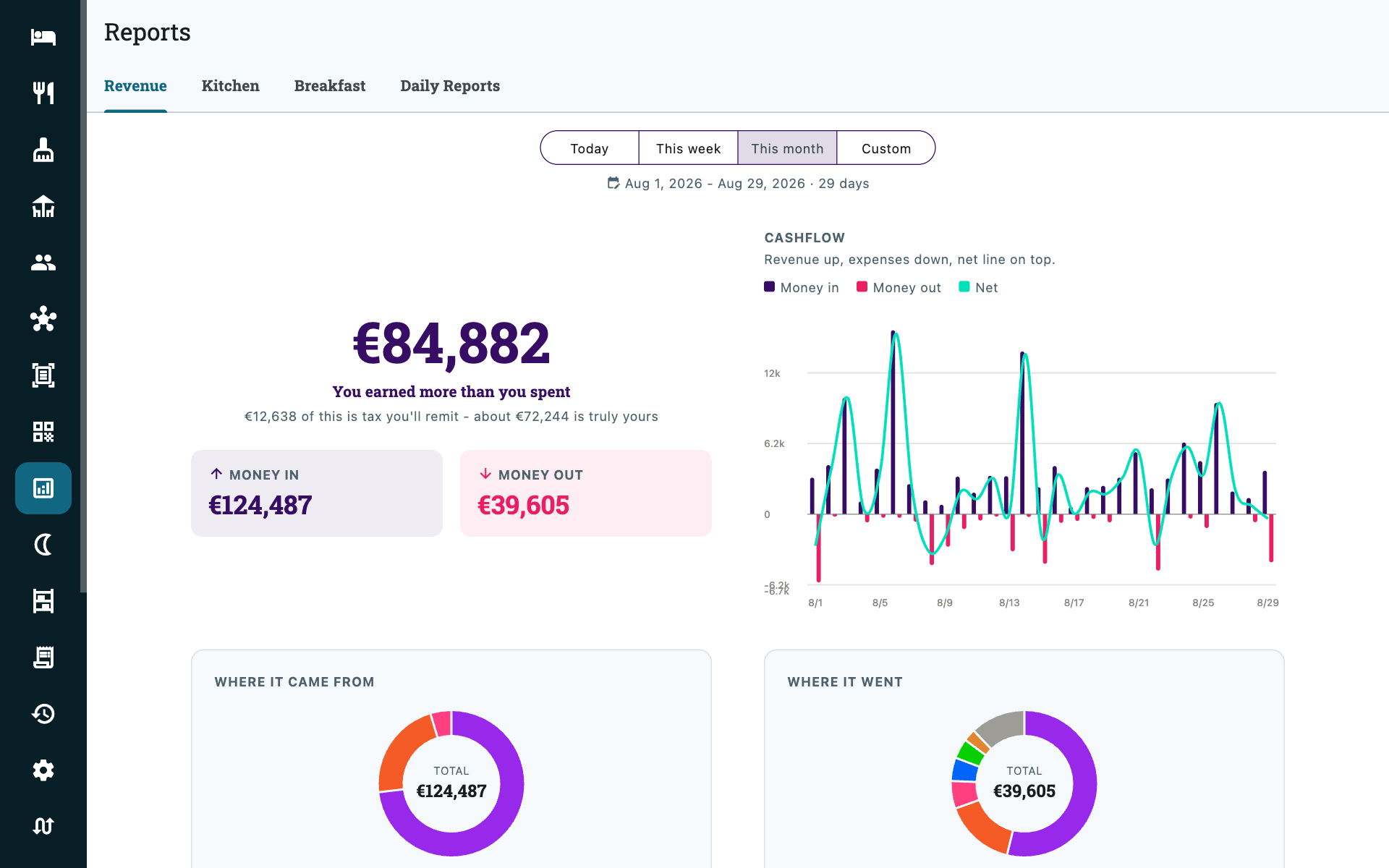
The money tab, over Today, This week, This month or a custom range.
| Card | Shows |
|---|---|
| Money in / Money out | The period's income against its spending, and which way the property came out. |
| Where it came from | Income by category — rooms, restaurant, room service, event spaces. |
| Where it went | Spending by expense category. |
| Cashflow | The two plotted across the period, so a bad week is visible as a shape rather than a number. |
| Cash position | What was collected by payment method — cash, card, QR, transfer — to tick off against the terminal and the till. |
| Unsettled / Advances held / Received / Tax collected | Bills still open, prepayments you are holding, money actually collected, and the tax inside it. |
Download PDF produces the same thing to keep or hand to your accountant.
Prepayments held and deposits held are balances, not takings
They are what you are holding as at the end of the period, not money earned in it. Adding them to revenue counts the same money twice — see Exporting for your accountant, which sets out how the three files reconcile.
Kitchen
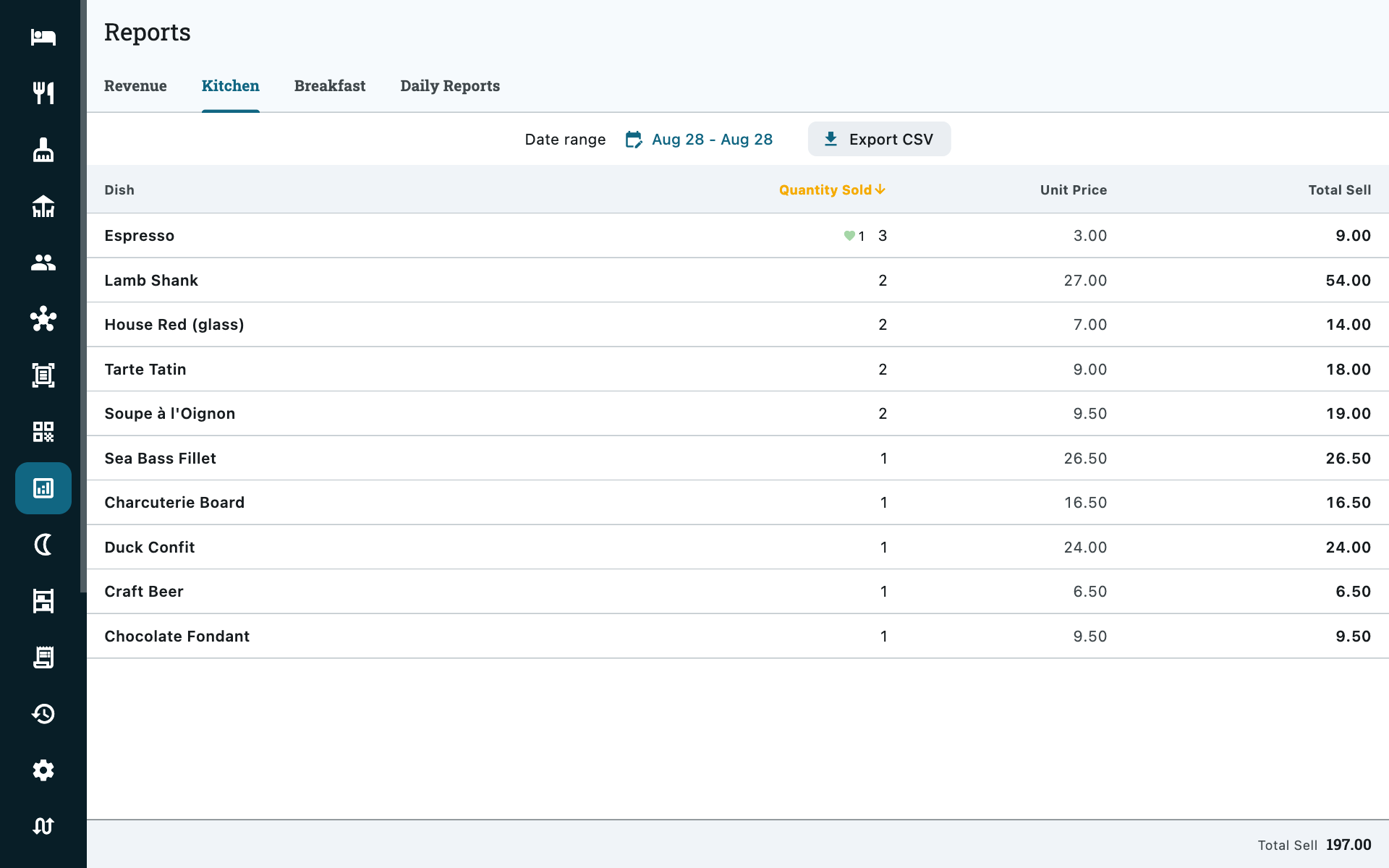
Dish by dish, over a date range: quantity sold, removed, complimentary, unit price and value. This is what tells you the biryani sells and the lasagne does not, and what a high complimentary count is really costing you. Exports as CSV.
Breakfast
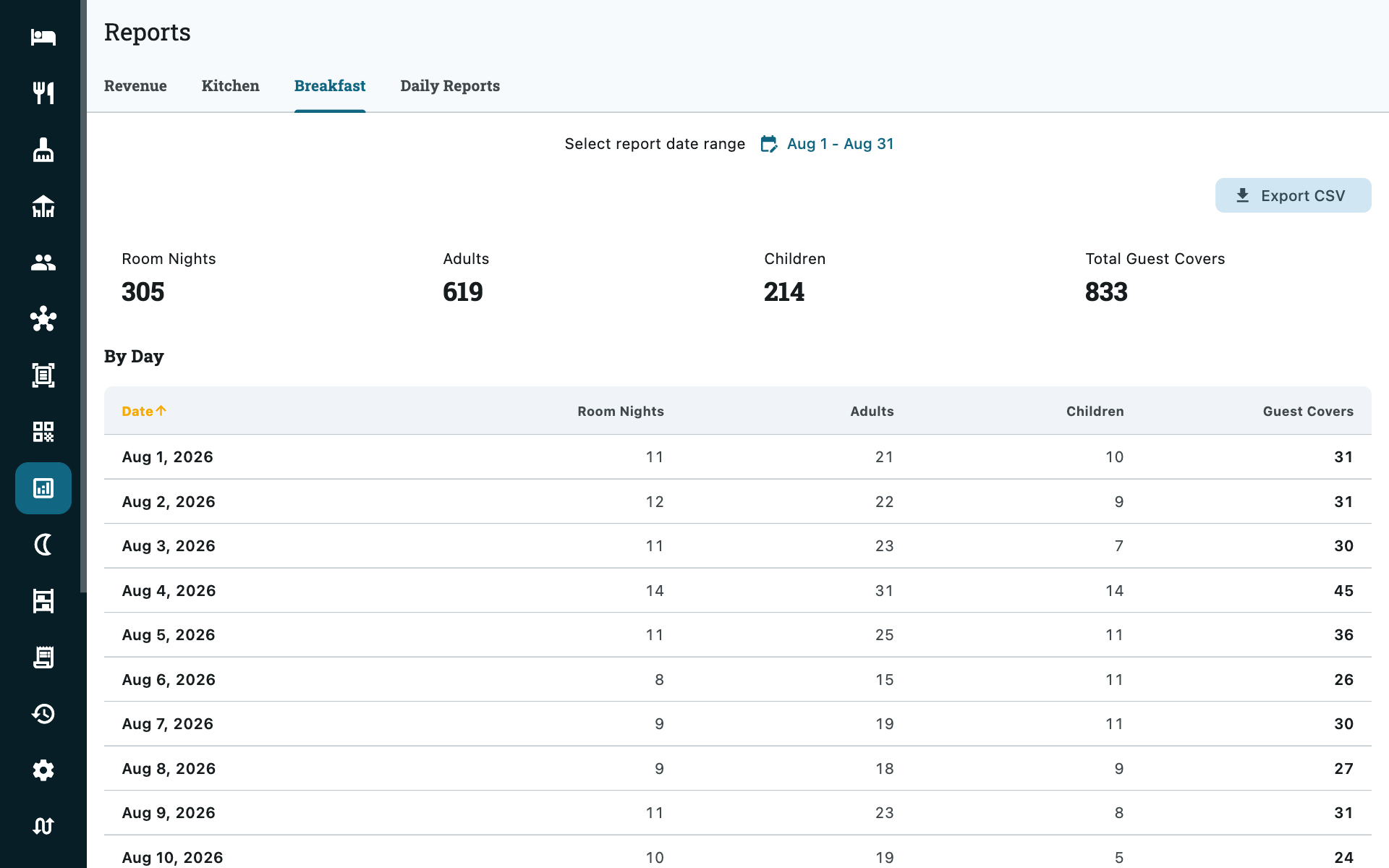
How many people you are expected to feed: room nights, adults, children and total guest covers, day by day over the range, with a CSV export for the kitchen.
Covers are counted from what each booking is entitled to — the meal plan on the stay — not from tickets rung up at breakfast. That means the number is ready the night before, and nobody has to count heads at the buffet.
Daily Reports
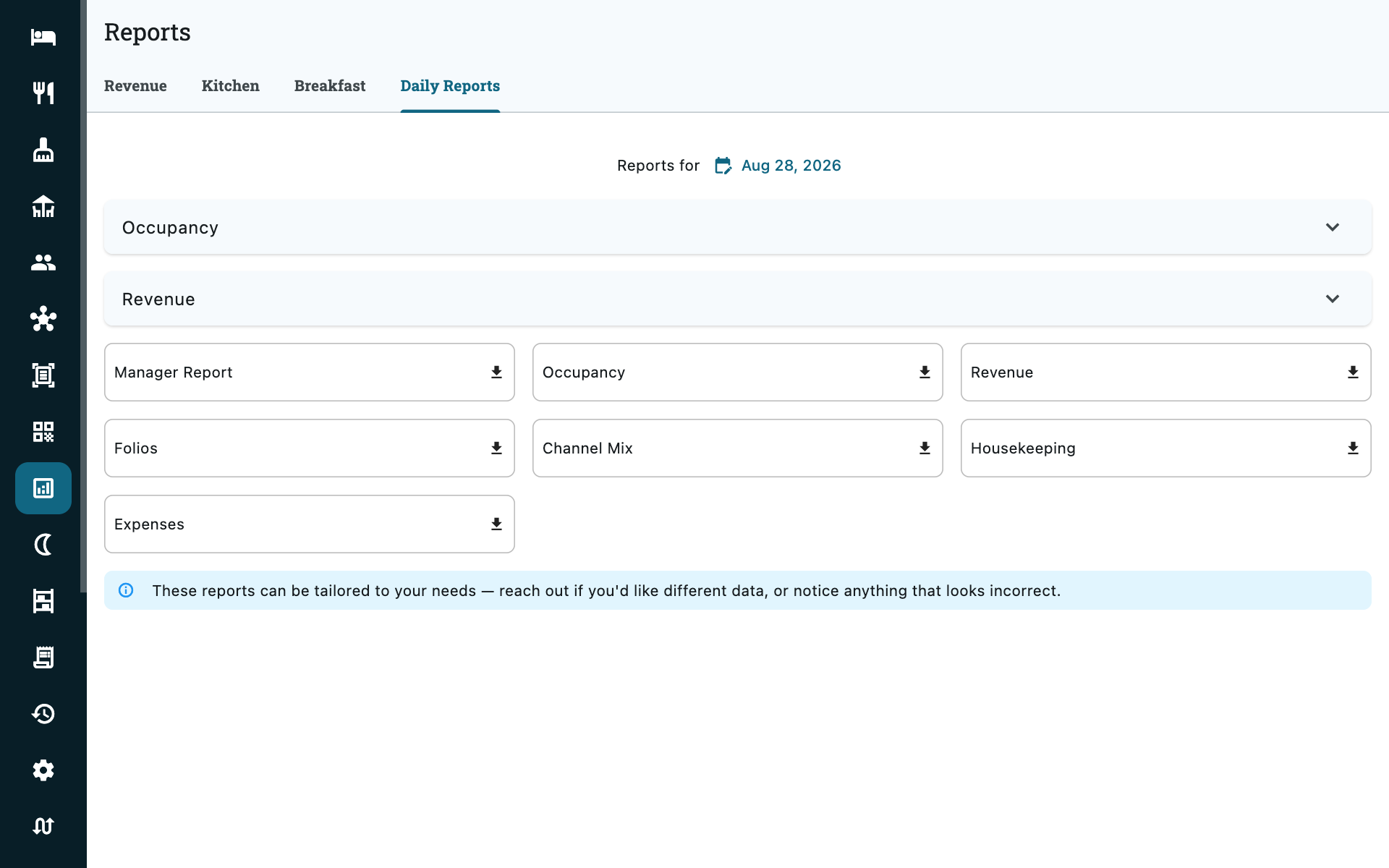
The dated snapshot. Pick a date and you get:
| Report | Covers |
|---|---|
| Occupancy | Rooms sold against rooms available, with the night's arrivals and departures. |
| Revenue | What was earned, split by source and by OTA, plus Prepayments Held — money taken that no bill has consumed yet — and Security Deposits Held, money you owe back. Both are balances as at the date you picked, not flows within it, so an old report always shows what was true on the day. |
| Folios | Every active folio and its balance on that date. |
| Channel mix | Room revenue for the day by booking source and by OTA — what direct, walk-in and each channel actually brought in. Room bills only: a restaurant tab has no channel. |
| Exceptions | Things needing attention — unassigned rooms, unsettled balances, security deposits still held on guests who have left, and card holds at or past their expiry date. |
| Housekeeping | Task status, and rooms out of order or in maintenance. |
| Expenses | Recorded costs by category. |
Each can be produced as a PDF to keep or hand over. Occupancy and Revenue also open on the screen, so the two figures most often asked for do not need a download first.
The night audit reads the same figures
Closing the day writes a permanent snapshot of them — see Night audit. Use Daily Reports for a day you are still working, the audit's history for a day you have closed.
Not here: accounts receivable
What companies owe the property is not one of these tabs — it lives on its own screen, because it is a live balance rather than a question about a date range. Credit accounts → Accounts receivable. See Credit accounts.
Who sees which tab
Kitchen and Breakfast start at Restaurant Manager; Occupancy and Exceptions at Rooms Manager; Revenue, Channel mix, Folios and Expenses at Accountant; Housekeeping at Housekeeping. See Roles & permissions.