Night audit
Night Audit in the main menu. The end-of-day review for one business date: a checklist of anything still open, a place to clear no-shows, and — when you're ready — a Close Day that freezes the day's occupancy and revenue numbers for good.
The checklist
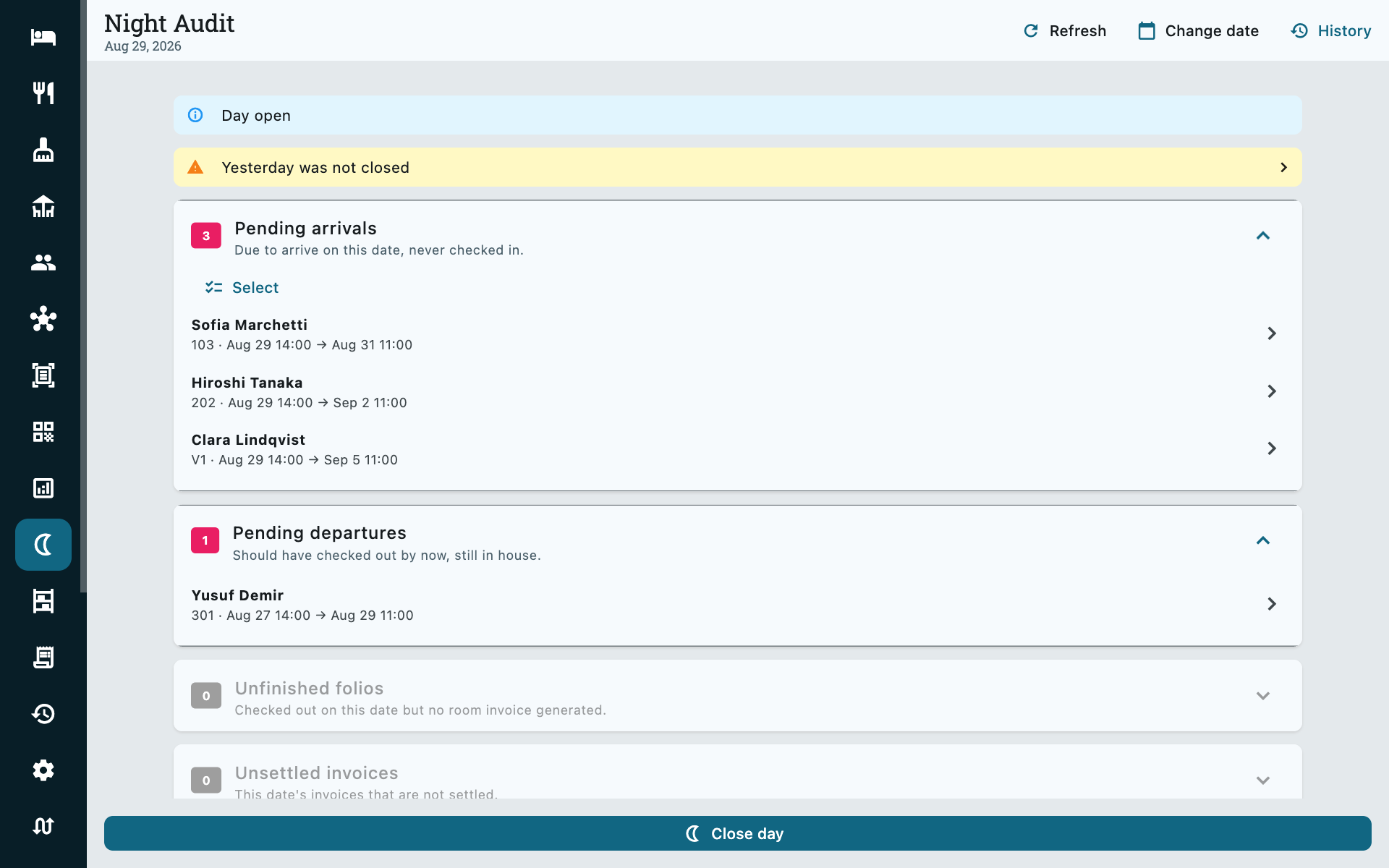
Every section shows its count whether it has anything in it or not. An empty one stays on screen, collapsed and greyed — proof the day was actually checked, not skipped — rather than disappearing and leaving you to wonder.
| Section | What it catches |
|---|---|
| Pending arrivals | Due today, never checked in. |
| Pending departures | Should have checked out by now, still in house. |
| Unfinished folios | Checked out today but no room invoice generated yet. |
| Unsettled invoices | Today's invoices that still have a balance. |
| Missing nightly prices | In house tonight with no price row for the night — a gap in the rate grid, not a missed charge. |
Tap any row and it takes you straight to the fix — the booking, the folio's invoice tab, or the folio's Rates tab — rather than making you go and find it yourself. Come back to Night Audit afterwards and it has already re-counted.
Everything here is a live query, not a batch job
There is no overnight process to wait for and nothing to run by hand first thing in the morning. Open Night Audit at any hour and the five counts above are exactly what the property looks like right now.
Clearing no-shows
A reservation that was due to arrive and never checked in can be cleared in bulk straight from Pending arrivals: Select, tick the ones that never showed, Mark no-show.
Any prepayment already on the folio stays there for you to deal with — a no-show is not a cancellation. The room, and within about a minute your connected OTAs too, get the availability back.
Closing the day
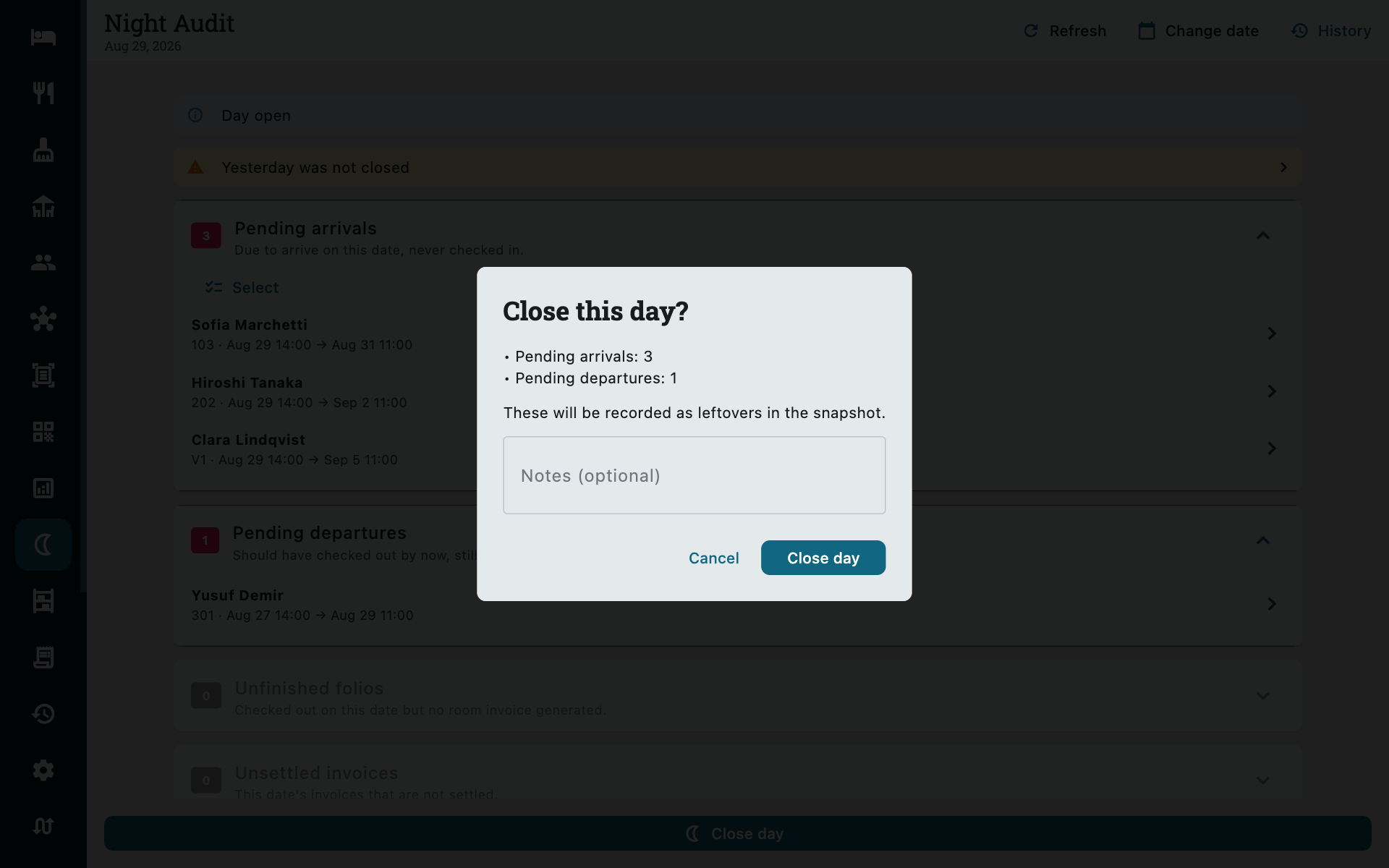
Close Day, pinned to the bottom of the screen. If anything on the checklist is still open, it is listed in the confirmation so you close with your eyes open — closing itself never depends on the checklist being clear.
Nothing is locked
A closed day is a record, not a restriction. Folios, invoices and reservations for that date stay exactly as editable as they were before — closing Night Audit is how you know what the day looked like, not a gate that stops you fixing something you notice tomorrow. There is no "reopen with a manager override" dance to go through first: any admin can reopen a day in one action, any time.
There is no charge to post
On many systems, closing the day is also when the night's room charge gets posted to every in-house folio. Zitlin doesn't need that step: a stay's nightly rates are written down for every night the moment the booking is made, and kept in step with any later change, so by the time you close a day every charge that belongs to it is already there. Closing is purely the review and the record — nothing is generated by it.
The snapshot
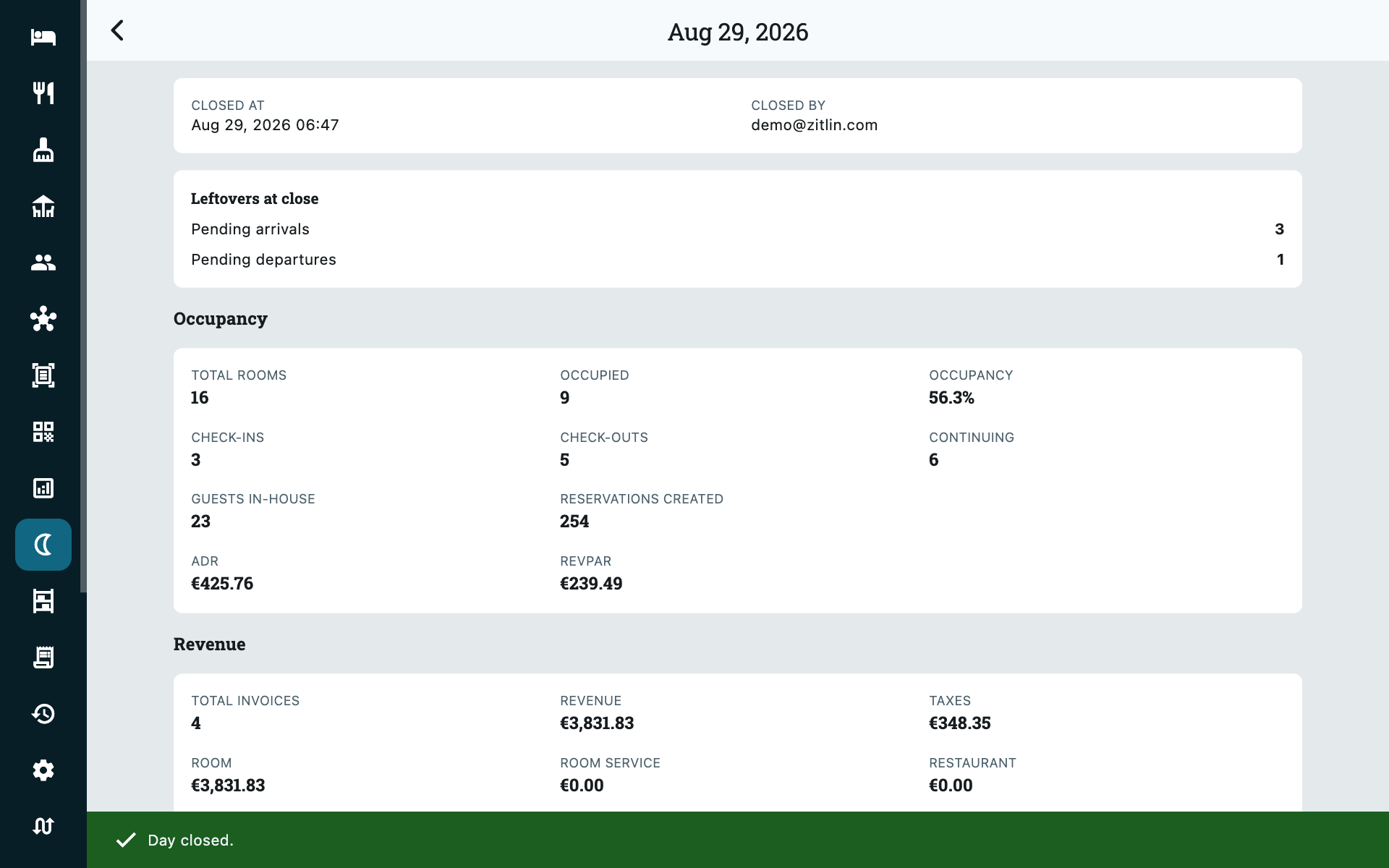
Confirming pushes straight into the day's snapshot — occupancy and revenue, the same figures Reports shows live, plus whatever was still outstanding when you closed. It is frozen the instant you close, so it stays the true record of that day even if a folio for it changes afterwards.
History
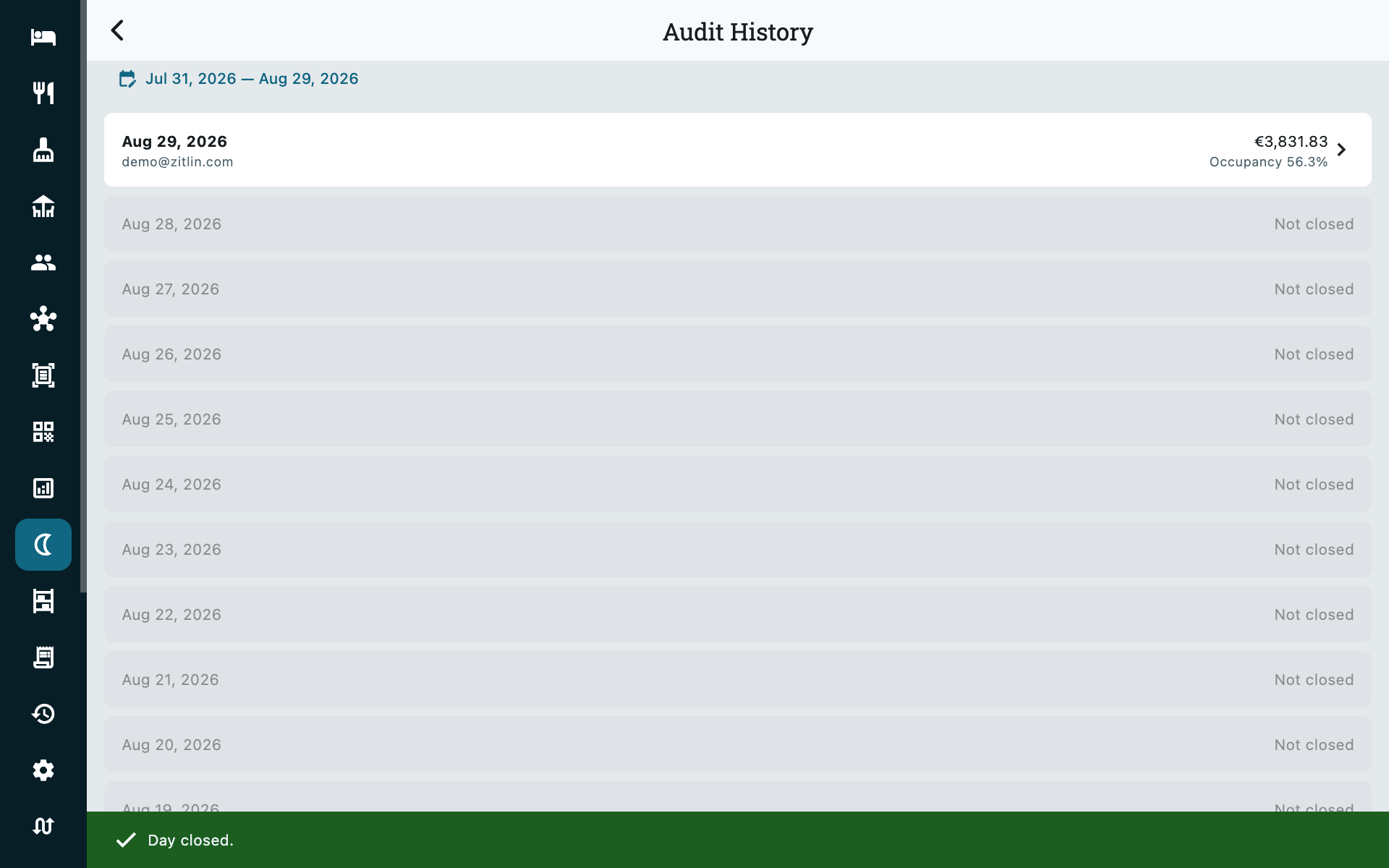
Every date you've closed, and every date in between that you haven't — shown in place rather than left as a silent gap, so a run of unclosed days is just as visible as a run of closed ones. Tap a closed date to open its snapshot again.
Common questions
Do I have to close every day, in order?
No. Close Day only refuses a date that is still in the future or already closed — nothing stops you closing today before yesterday, or leaving a day unclosed altogether. History simply shows you which days that happened to, so it stays a visible choice rather than a mystery later.
I closed a day and then noticed a mistake in a folio for it
Fix it. Closing the day doesn't lock anything, so the folio, its invoice and its rates are exactly as editable as before you closed. If you want the snapshot to reflect the fix, reopen the day and close it again — that replaces the frozen numbers with current ones.
What does Reopen do?
Deletes the snapshot so the day can be closed again — an admin-only action. It never touches a folio, reservation or invoice; only the Night Audit record itself.
A reservation is missing its nightly price
That's what Missing nightly prices is for — it catches an in-house stay whose rate grid has a gap for tonight. Tap the row to open the folio's Rates tab and fill it in. Hourly bookings never appear here; they have no nightly grid to check.