Expenses
Expenses in the main menu records what the property spends — the electricity bill, the vegetable supplier, a plumber, the staff salaries. It is what turns the Revenue report from what we took into what we kept.
Recording an expense
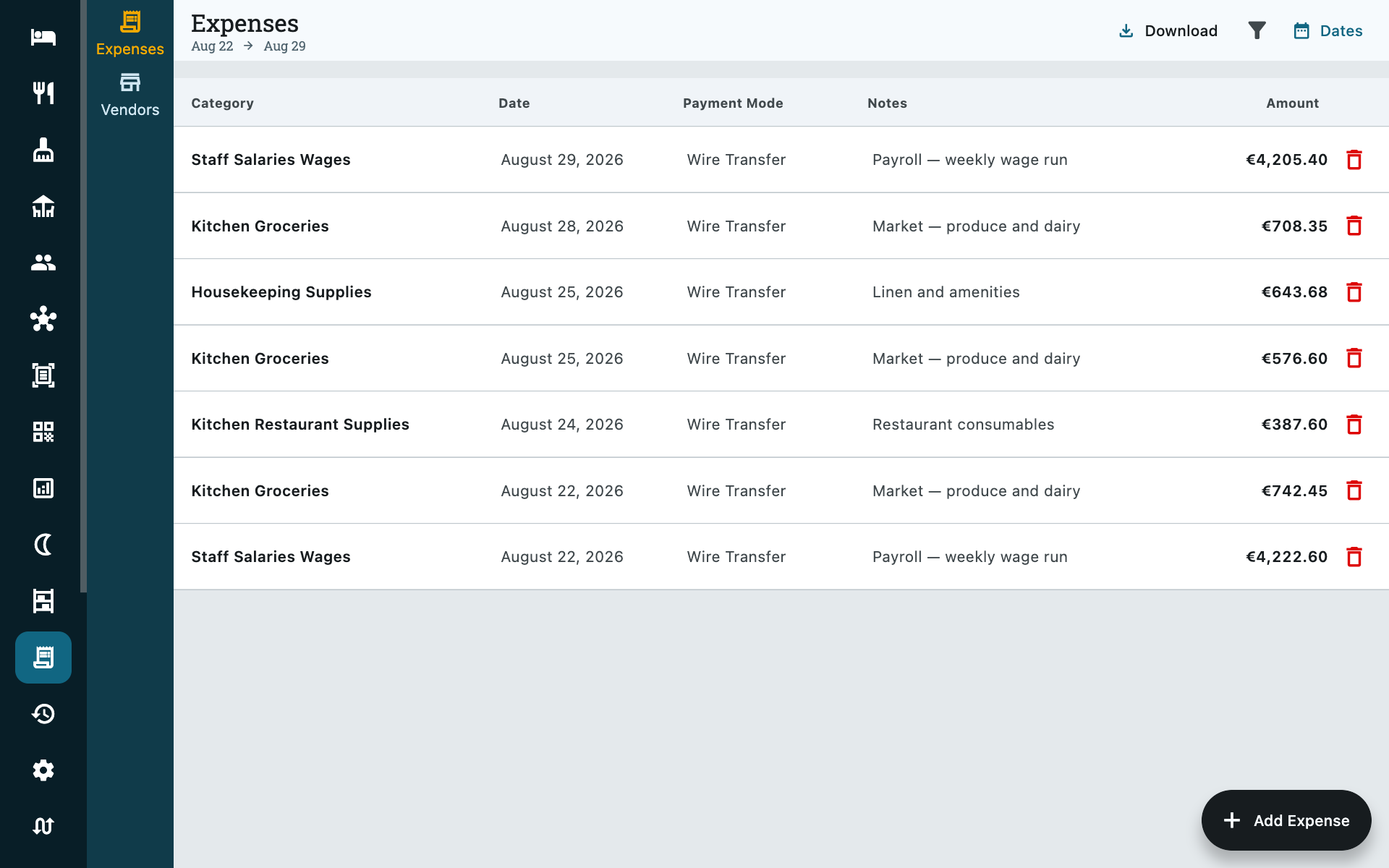
The list opens on a date range you can change with Dates, and Download exports what is on screen as a CSV for your accountant.
Add Expense, bottom right.
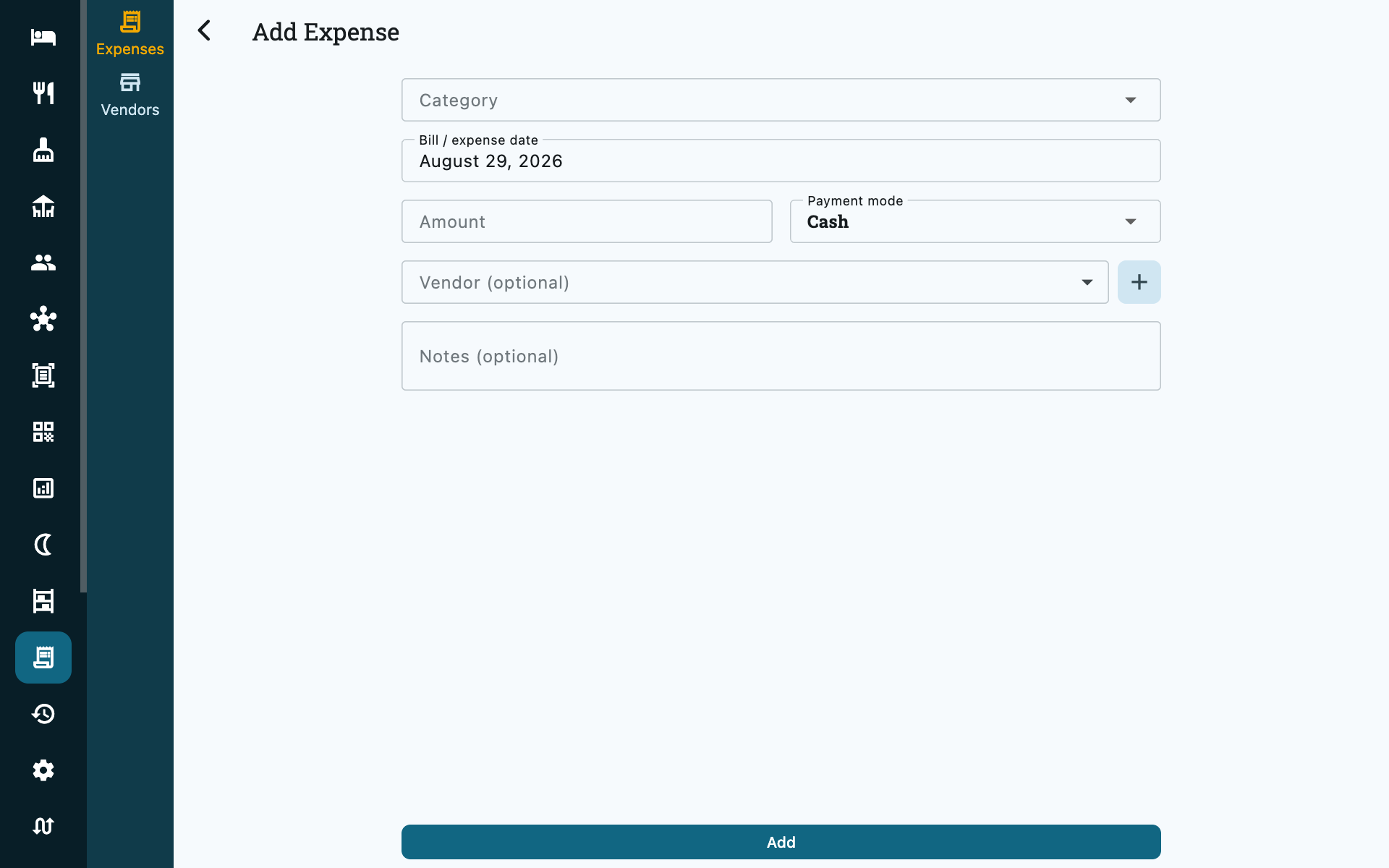
| Field | Notes |
|---|---|
| Category | One of the fixed list below. |
| Amount | What was paid. |
| Date | The bill's own date, not today. See the note under Cash expenses. |
| Payment mode | Cash, card, bank transfer, QR — the same list the folio uses. |
| Vendor | Optional. Who was paid — see Vendors. |
| Notes | The bill number, the meter reading, what the plumber fixed. |
Zitlin stamps who recorded it. On a property using staff sign-in that is the person who punched in, not the terminal they used.
Categories
Fixed, so that a year of expenses adds up across everybody who typed them:
| Electricity | Kitchen & restaurant supplies |
| Water | Kitchen groceries |
| Other utilities (gas, internet, telephone) | Office supplies |
| Government fees & taxes | Staff salaries & wages |
| Rent / lease | Marketing |
| Maintenance & repairs | Insurance |
| Housekeeping supplies | Professional fees |
| Other purchase | Other |
Pick the boring category, not the clever one
The categories only earn their keep if the same kind of bill lands in the same place every month. Gas cylinders for the kitchen are Kitchen & restaurant supplies if you decide they are — just decide once.
Vendors
Expenses → Vendors, in the rail on the left.
A vendor is anyone you pay repeatedly: the laundry, the electricity board, a supplier. Recording one lets you attach expenses to it and see everything you have paid them.
Vendors are optional. A one-off payment can be recorded without one, and plenty are.
Vendors are not guests
They are a separate list, kept apart from your guest address book on purpose, and they never appear in a booking form.
Cash expenses and the drawer
An expense paid in cash leaves the till, so Zitlin counts it in the Cash paid out line of the shift report.
The bill's date and the drawer's date are deliberately independent. Pay last month's electricity bill in cash today and the expense keeps its own date for your accounts, while the money leaves today's drawer — both readings are correct at once, and the drawer is the one that has to match the notes in your hand.
Where expenses show up
| Where | What you see |
|---|---|
| Reports → Revenue | Where it went — spending by category, against income for the same period. |
| Reports → Daily Reports → Expenses | Recorded costs by category for the date you picked, on the PDF. |
| Shift report | Cash expenses, in Cash paid out. |
Who can use it
Expenses are Accountant and above, throughout — reading as well as writing. Your front desk cannot see what the property spends, which is usually the point.
Common questions
Can I attach a photo of the bill?
Not yet. Put the bill number in Notes so the paper and the record can be matched later.
Does an expense affect a guest's folio?
Never. Expenses are the property's own money going out. A cost you are passing on to a guest is an add-on on their booking, not an expense.
How do I record stock I bought?
As an expense, under Housekeeping supplies, Kitchen groceries or Kitchen & restaurant supplies. Then receive the items themselves in Inventory so your counts are right. Zitlin keeps the two apart: expenses carry the money, inventory carries the count.